Digital Agencies Managing Multiple Client Websites - One Dashboard for Every Client Account
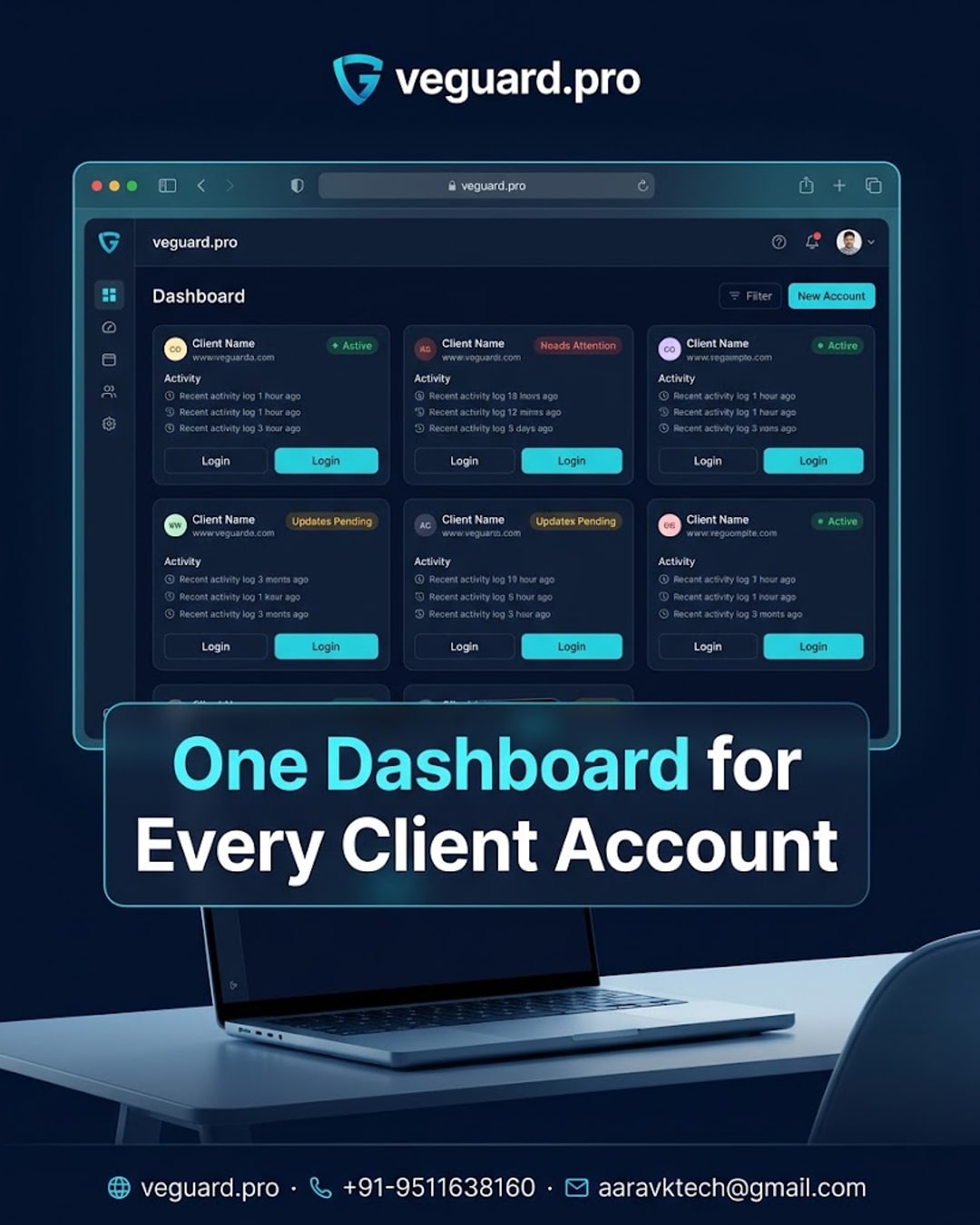
One Dashboard, Every Client Website: How Agencies Stay on Top of It All
If you run a digital agency, you already know the drill - client A's website needs a login check, client B's activity log needs reviewing, and client C just messaged asking if their site is even up. Multiply that by ten clients and your day disappears into tab-switching before you've done any actual client work. This post looks at a simpler way to keep track of it all.
Why Agencies Struggle With Multi-Client Visibility
Most agencies manage each client website as its own island - separate logins, separate dashboards, separate habits for checking status. There's no shared view that shows what's happening across the whole client portfolio at once. That means problems on a client's site often get discovered only when the client calls to complain, which is never a great look for an agency.
What a Central Monitoring View Actually Solves
veguard.pro is built around a simple idea: MONITOR, DETECT, ALERT, CONTROL, REPORT. For agencies, that means supported categories like website status, user activity and login events for each client account can be reviewed from one dashboard instead of ten separate ones. Instead of remembering to individually check each client site, an account manager can scan one screen and get a sense of what needs attention.
What This Looks Like Day-to-Day
Picture a Monday morning agency stand-up. Instead of each team member reporting from memory or scattered notes, someone pulls up the veguard.pro dashboard and walks through recent activity and alerts across client accounts in a few minutes. It turns a vague check-in into something concrete - actual activity and login events, not guesswork.
Who This Actually Helps
This kind of setup is most useful for agencies handling more than a handful of client websites - marketing agencies, web design studios, and freelance teams that have outgrown checking each site manually. It's not about replacing your existing tools; it's about adding one layer of visibility on top of the client accounts you already manage.
My Take
If your agency is still juggling separate logins and sticky notes to track five or more client websites, it's worth trying a central dashboard approach like veguard.pro rather than adding yet another spreadsheet. Smaller agencies with two or three clients might not feel the pain yet, but the moment you're managing double digits, a single view saves real time every single week. Start with the accounts that give you the most headaches and build the habit from there.
🌐 veguard.pro · 📞 +91-9511638160 · 📧 aaravktech@gmail.com