how to check file permission leaks in cloud folders before they become data exposures
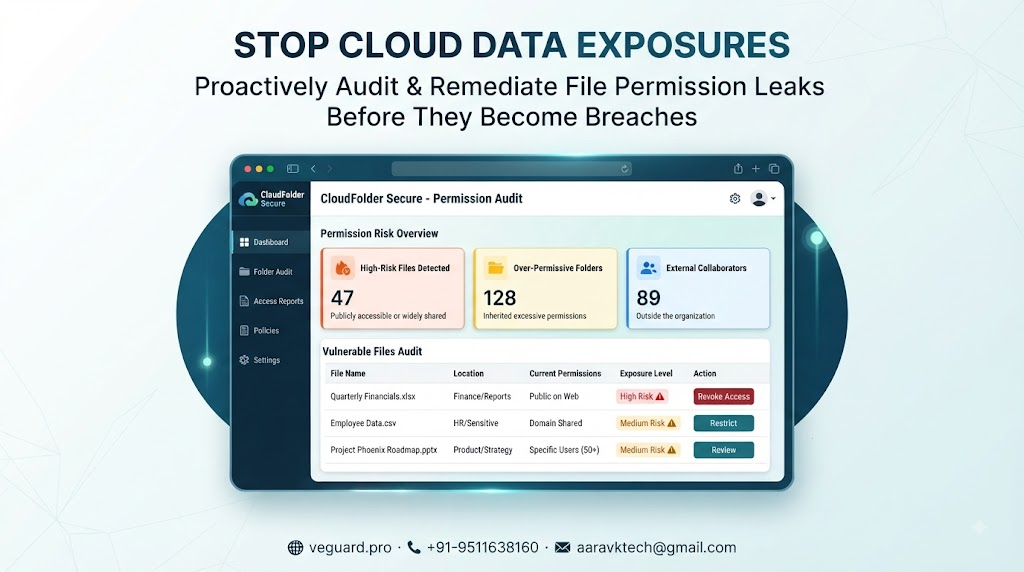
How to Check File Permission Leaks in Cloud Folders Before They Become Data Exposures
Most business owners think their data is secure simply because it lives behind a password-protected cloud account. But the reality is that years of quick sharing links, contractor folder invites, and forgotten permissions leave digital doors wide open. If you want to stop minor sharing habits from turning into massive data exposures, you need a proactive way to audit who can see what.
Why Default Cloud Sharing Settings Create Silent Vulnerabilities
When teams collaborate rapidly, convenience trumps caution. Someone generates an external link for a quick client review, sets it to public for convenience, and forgets to revoke it. Over months, hundreds of sensitive assets accumulate public or overly broad permissions. Attackers and automated scrapers constantly scan for these forgotten endpoints. Relying on memory to track who has access is a recipe for a breach.
Run a 5-Minute Manual Permission Audit Right Now
Start by opening your primary cloud workspace and navigating to your root shared directories. Filter your view specifically for files and folders set to public or accessible by anyone with a link. Check for departed contractors or former employees who might still linger in your team permission lists. Revoke any link that does not have an active business purpose today. While manual checks are tedious, doing this once a month establishes a baseline of control.
Automating Continuous File Protection and Monitoring
Manual audits are great for today, but what happens tomorrow when a new project folder goes live? That is where automated monitoring steps in. Instead of hoping your team follows secure sharing protocols, a smart platform like veguard.pro continuously tracks permission changes, flags exposed files instantly, and alerts you the moment an unauthorized user attempts access. It turns reactive firefighting into a quiet, automated shield.
My Take on Cloud Folder Security Management
If you are a tiny team with three folders, a monthly manual spreadsheet audit might get the job done. But the moment you scale past five employees or handle sensitive client data, manual checking fails. Investing in automated permission tracking saves hours of panic and plugs silent leaks before anyone notices. Get automated visibility today so you can focus on building your business instead of policing folder links.
🌐 veguard.pro · 📞 +91-9511638160 · 📧 aaravktech@gmail.com